
ChemSearch App
This is the native Android version of the original ChemSearch webapp, rewritten in Kotlin with Jetpack Compose.Features
Search
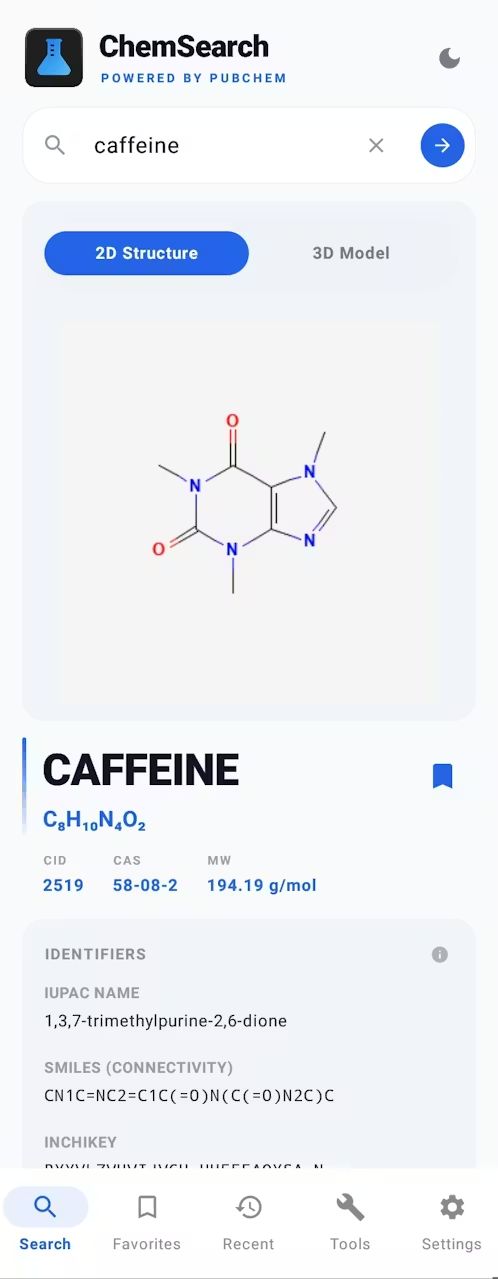
Search by common name, IUPAC name, CAS number, or CID via PubChem PUG REST
Real-time autocomplete suggestions as you type, with a scrollable dropdown (toggleable)
Recent searches tab to access recently searched compounds.
Favorites tab with filtering, A-Z and atom-count sorting, and manual reordering.
Compound Data
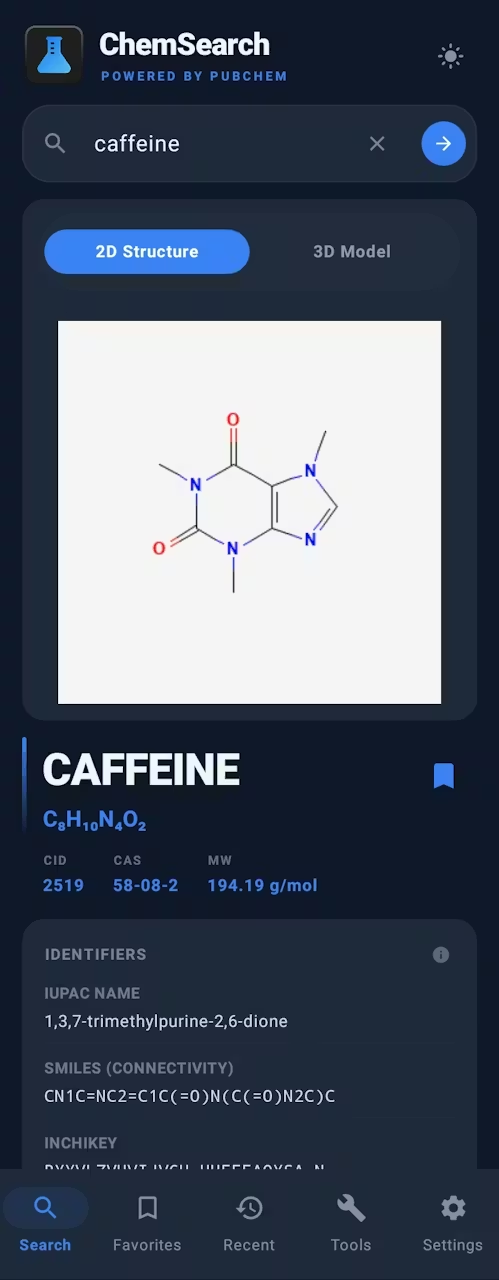
Compound header showing name, molecular formula, molecular weight, CID and CAS at a glance
Full identifiers card: IUPAC name, SMILES (full and connectivity), InChI, InChIKey, empirical formula, and formal charge (tap any value to copy).
Info tooltips on each card explaining what each identifier or data type means
Up to 8 synonyms displayed as chips
Elemental analysis with mass percentage bars for each element
Tap the formula to jump into the Isomer Finder
Structure Viewer
2D structure via PubChem PNG images with tap-to-zoom
3D model using a fully native Canvas-based engine:
Drag to rotate, pinch to zoom, auto-spin with pause on touch
CPK coloring for all 118 elements
Ball-and-stick model with bonds connected to atom surfaces
Download 2D PNG or 3D SDF files directly to Downloads
Safety Information
GHS classification fetched from PubChem PUG View:
Signal word badge (Danger / Warning) with color coding
GHS pictograms (GHS01 through GHS09) with icons and labels
Hazard H-codes
Descriptions
Three switchable sources per compound:
PubChem for scientific descriptions
Wikipedia for general summaries
AI via Google Gemini or Groq, with a regenerate button. This is totally optional and it requires your API key from these providers to work.
Tools
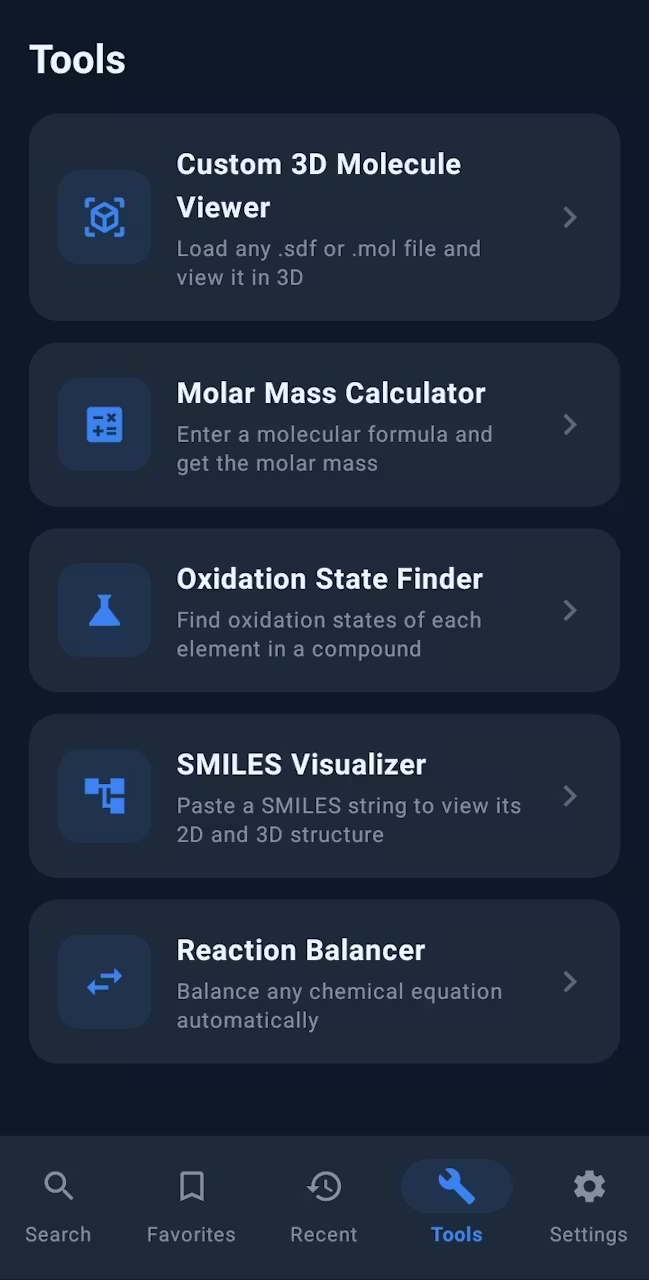
Eleven chemistry tools accessible from the Tools tab:
Custom 3D Molecule Viewer : Load any .sdf or .mol file from your device and view it in the native 3D engine
Molar Mass Calculator : Enter any molecular formula (including parentheses groups and hydrate dot notation) to get the molar mass and a full elemental breakdown by mass percentage
Oxidation State Finder : Determine oxidation states for each element in a compound, with support for peroxides, superoxides, ozonides, metal hydrides, and interhalogen compounds. Enter the overall charge for polyatomic ions
SMILES Visualizer : Paste any SMILES string to look it up on PubChem and view its 2D structure and 3D model
Reaction Balancer : Balance any chemical equation using matrix-based Gaussian elimination with exact rational arithmetic. Includes quick-insert buttons and swap-sides control
Isomer Finder : Find up to 20 structural isomers by searching with a molecular formula
Limiting Reagent : Identify limiting reagent, ratios, and theoretical yield for a balanced equation
Percent Yield : Compare actual yield against theoretical yield for a target product
Reaction Scaling : Scale reactants for a desired product amount
Dilution Calculator : Solve C1V1 = C2V2 for solutions
Ideal Gas Law : Solve PV = nRT for gases
Tool categories include scrollable filter pills and manual tool reordering.
Customization
Theme mode dropdown (Light / Dark) in Settings
Configurable default description source
AI provider selection with per-provider API key management
Autosuggestions toggle (scrollable dropdown, toggleable)
Updates and Cache
Built-in update checks against GitHub releases, with optional notifications
Local compound cache to speed repeat searches, with clear + custom location controls
Cached results are labeled in the UI
Developer Options
A hidden debug menu can be unlocked by tapping the build number in the 'About' card five times. It includes:
Live log viewer : Real-time in-app log buffer (up to 200 lines) capturing search events, API calls, errors, SDF loads, and more, with timestamps. Errors always captured; verbose logs toggle-gated
Verbose logging toggle : Writes detailed D/ChemSearch lines to Logcat and the live buffer
SharedPreferences inspector : Dumps all stored keys and values (API keys partially masked)
Memory info : JVM heap usage and system RAM from ActivityManager
API endpoints : Copies all five base URLs to clipboard for manual testing
Wipe SharedPreferences : Completely reset all the stored data
Force crash : Throws a deliberate unhandled exception to verify crash reporting (confirmation required)
Hide debug settings : Relock the developer menu until the next 5-tap unlock